Suppliers
Match name variants using a stable identifier where available. Retain the original label and matching rule. Similar names alone are not sufficient grounds for merging two companies.

TO UNDERSTAND AND PREPARE
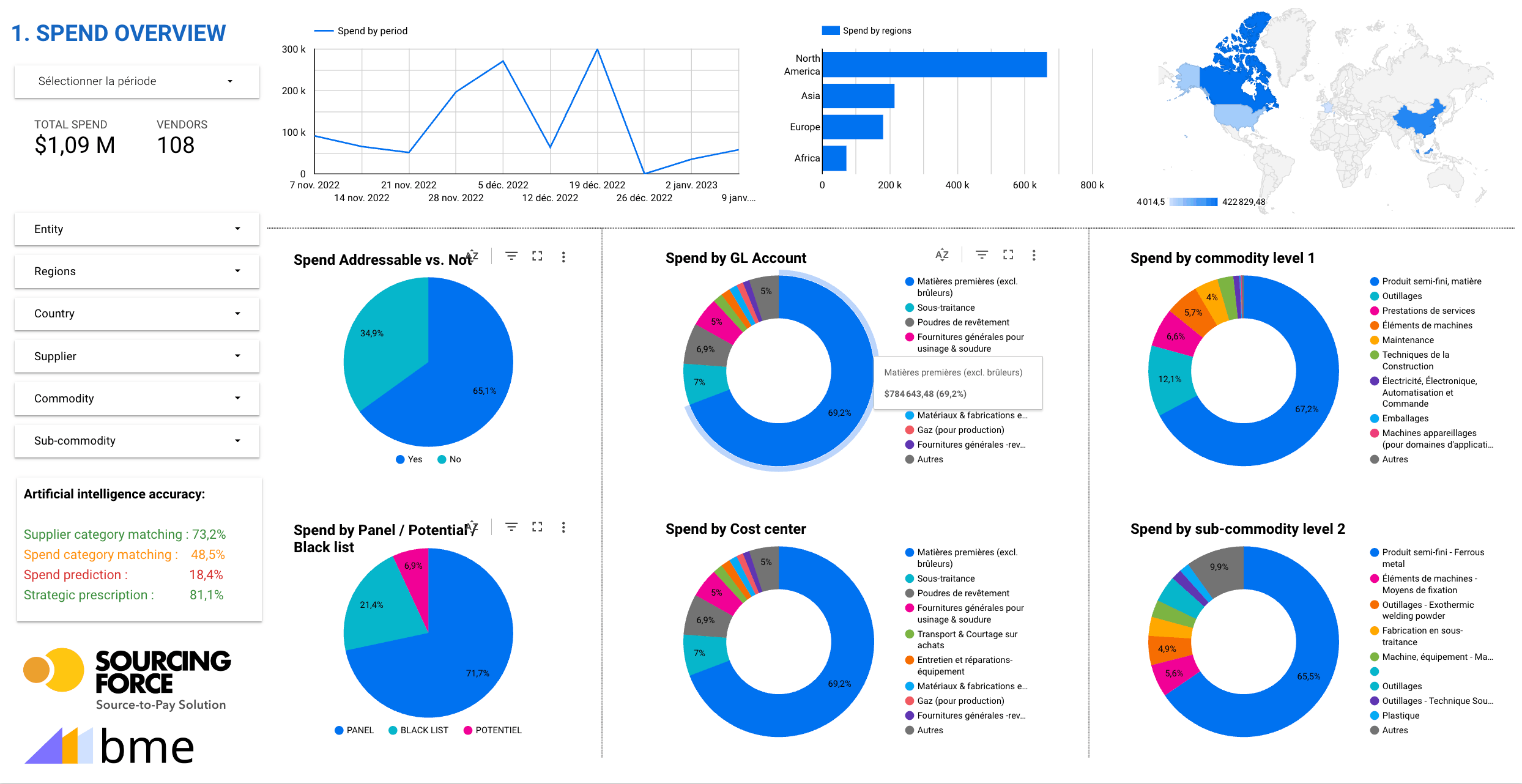
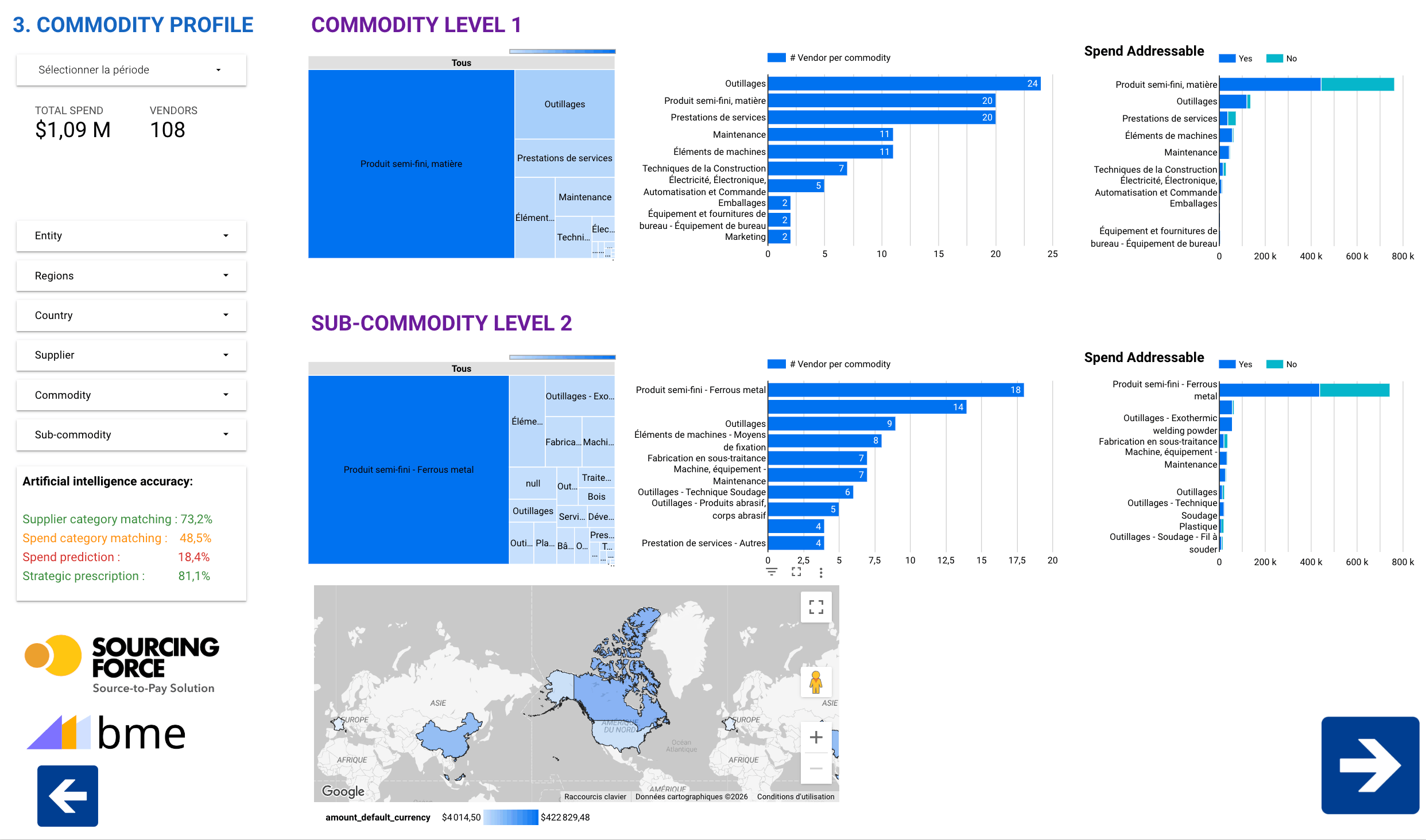
Useful spend mapping connects spend with suppliers, users and processing methods. Its purpose is to make choices explainable: which categories to examine, which data to complete and where to start.
Roles, practices and project support
METHOD AND CONTEXT
Sourcing Force + Buy Made Easy
Without a consistent scope and data, small orders remain hidden in spend totals.
Spend mapping identifies one-off flows to bring together in Sourcing Force and priorities for integration with procurement systems.
It helps define the operations for which Buy Made Easy will act as the single supplier.
Inside Sourcing Force
The starting point
First define the decision the map should inform. Are you looking for fragmented suppliers, costly processes or poorly classified spend? Set the period, entities and currencies covered. A comparison loses meaning if it mixes amounts excluding and including tax, or financial years of different lengths.
Then gather available exports from finance and procurement. Invoices describe actual spend; orders describe commitments; requests describe needs. Keep these objects separate to avoid counting the same transaction three times. Identify credit notes and cancellations before calculating totals.
Class C purchases are identified through a combination of value, frequency and fragmentation. A low amount alone does not mean a purchase is simple: a critical part may require specific qualification. The map must retain these exceptions.
Information that matters
Match name variants using a stable identifier where available. Retain the original label and matching rule. Similar names alone are not sufficient grounds for merging two companies.
Build a classification that business teams understand. Test it on a sample and keep an unclassified category visible. An unknown value is more useful than an arbitrary assignment.
For every transformed line, retain the source and the rule applied. Separate observed data, documented corrections and estimates. This lets you explain a total and revisit an assumption.
A clear workflow
Information moves between teams. Responsibilities stay clear.
Record the period, entities, objects and exclusions. Assign an owner to each export.
Compare totals with the selected accounting source and document scope differences, duplicates and credit notes.
Cross-reference categories, suppliers, sites, amounts and frequency. Examine unclassified transactions separately.
Present findings to business owners. Validate exceptions and choose an action supported by sufficiently reliable data.
A preparation checklist
| Observation | Question to ask | Useful check |
|---|---|---|
| Many suppliers | Are they interchangeable? | Technical and local constraints |
| Repeated small invoices | How much processing effort? | Time observed in a sample |
| Concentrated spend | What dependency does this create? | Alternatives actually available |
| Unclassified data | What is missing from the source? | Descriptions and owners to consult |
A practical scope
ABC classification groups spend using the criteria and thresholds chosen for your analysis. Document these parameters, then examine transaction volume and criticality. The result guides an assessment; it replaces neither a risk study nor procurement owners' decisions.
Your initial scope
Present each priority with its findings, scope and checks still needed. Supplier concentration may call for dependency analysis; fragmentation may justify examining the administrative workflow. The same chart does not automatically lead to the same action in every company.
For a class C procurement pilot, choose a category with understandable data and identified contacts. Measure a baseline, record changes and repeat the comparison on an equivalent scope. Do not attribute a change in spend to savings if volumes or market prices have changed.
Sourcing Force provides the application workflow; BME delivers the agreed services. The ERP/S2P remains the system of record for rules, approvals, commitments and orders. This method prepares the assessment. The Spend Analysis page separately explains the solution's scope.
Prepare your project
Gather available spend exports with the period, entities, suppliers and amounts. Identify each type of object and the calculation rules before combining sources.
You can present initial findings while showing the unclassified share and its limitations. Have business teams check priority categories before deciding on actions.
Distinguish observed spend, potential savings and measured results. Compare consistent periods and volumes, then document changes that affect the outcome.
Your next step
Let's discuss your class C purchases and how your organisation works.
Request your free assessment.
Fictional data for the same year and scope, excluding VAT. Reconcile the €100,000 total before interpreting the distribution.
| Category | Spend excl. VAT | Suppliers | Share of spend |
|---|---|---|---|
| MRO | 60,000 € | 30 | 60 % |
| IT | 30,000 € | 3 | 30 % |
| PPE | 10,000 € | 2 | 10 % |
The fragmented MRO category warrants a closer look at items, sites and small orders before considering catalogues or consolidation. Fragmentation alone does not prove savings. Deduplicate suppliers across categories before counting unique suppliers.