Describe the need
Assistance helps describe the product or service, quantities, location and required date.

THE SOURCING FORCE WORKFLOW
Prepare purchase orders from a structured request: gather the need, quote, items, supplier and cost allocation, then follow your approval workflow. Your ERP/S2P remains authoritative for commitments and orders.
Focused demo · Free assessment · Pricing on request
THE FILE TO PREPARE
Sourcing Force + Buy Made Easy
A need submitted without a usable quote, date or budget allocation repeatedly returns to the requester.
Sourcing Force centralises one-off purchase requests, with AI assistance to help prepare the necessary information.
Buy Made Easy, the single supplier for assigned purchases, then takes over discussions with the relevant suppliers.
Inside Sourcing Force
The starting point
A purchase requisition formalises what a user needs before an order is committed. It describes the need, recipient, quantities and constraints relevant to the decision. A clear file avoids searching through multiple messages for this information.
For class C purchases, the variety of suppliers and quotes makes this preparation particularly useful. Value alone does not show whether an item is compatible, delivery is needed at another site or a service visit needs preparation. Include these details from the start.
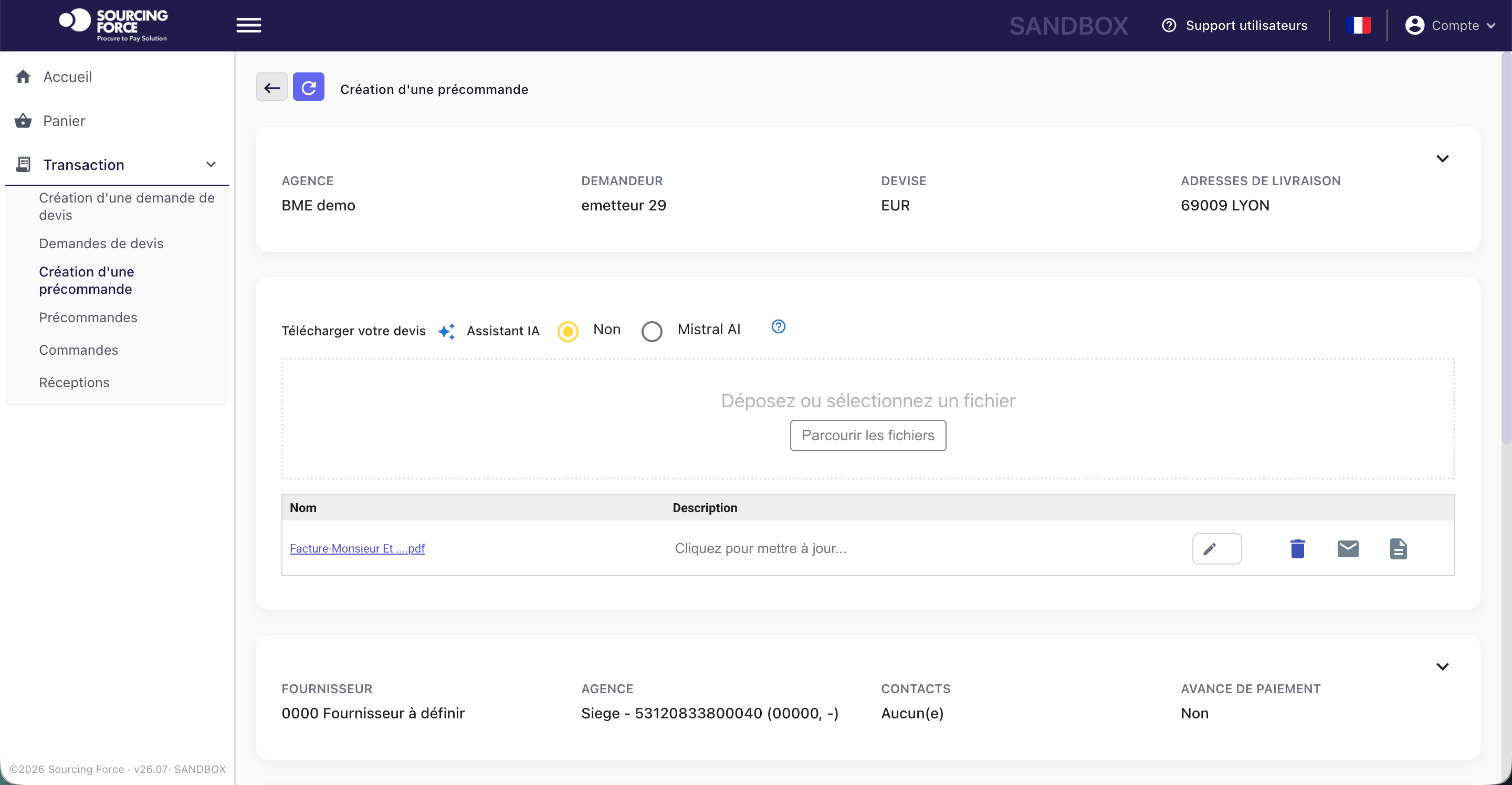
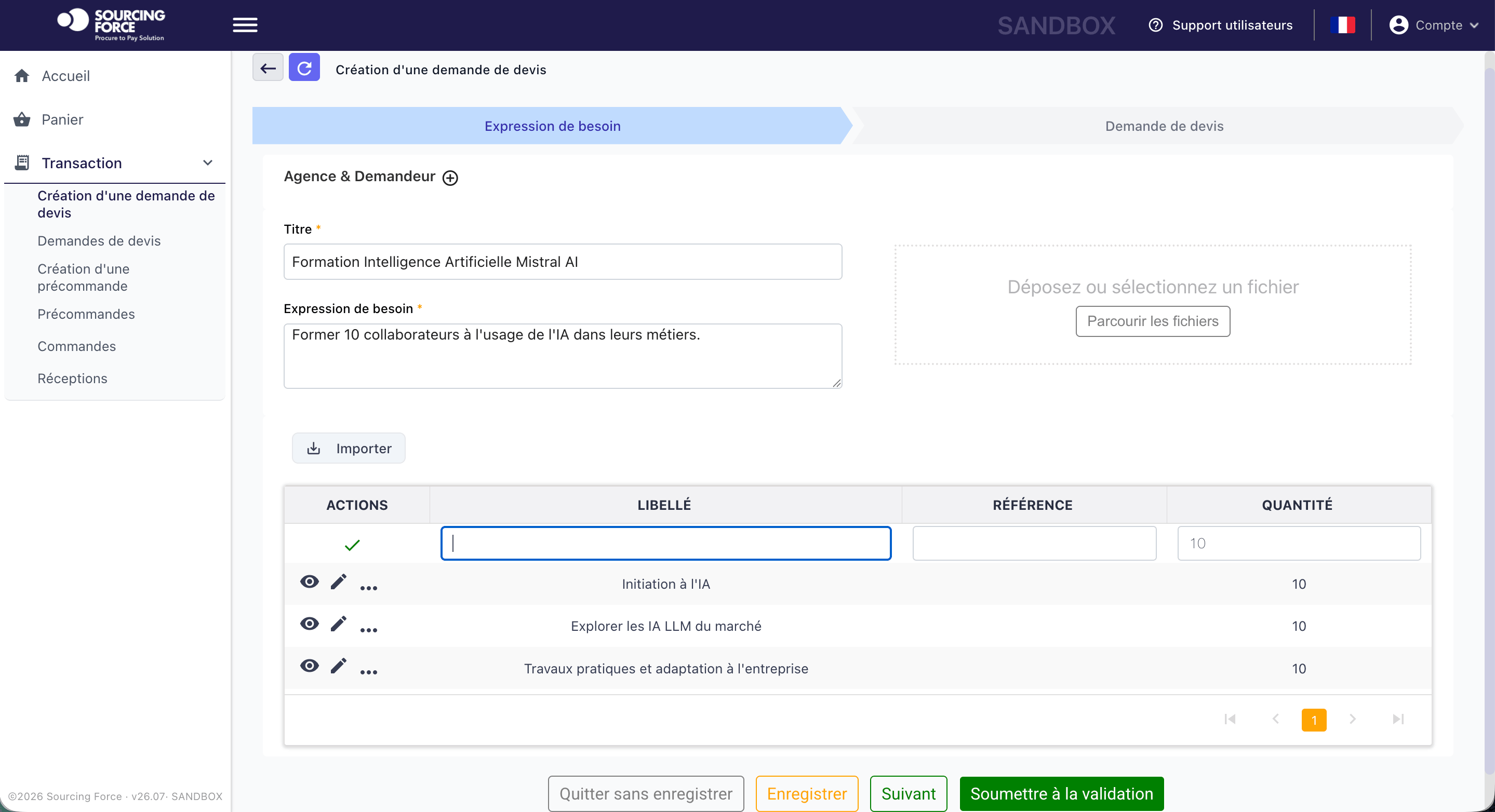
Assistance helps describe the product or service, quantities, location and required date.
AI supports reading the document and preparing useful request fields.
Missing information and discrepancies are flagged before the approval workflow continues.
Information that matters
Specify the use, required product reference and quantity. For a service, describe the outcome and location. The requester provides context; the technical owner confirms the requirements.
Compare the quote with the requested items, stated lead time and proposed terms. Identify discrepancies to clarify with the supplier before sending the file to the approver.
Identify the relevant branch, cost centre or project. Link the supplier and contacts to the correct scope so that subsequent steps remain clear.
A clear workflow
Information moves between teams. Responsibilities stay clear.
Describe the actual need and attach useful details. A precise reference is better than a general description.
Gather quotes, quantities, contacts and cost allocations. Identify missing information and its owner.
Review the file's consistency, technical compatibility and purchase terms. Handle exceptions before commitment.
Send the file into the agreed workflow. The ERP/S2P retains control of approvals, commitments and orders.
A preparation checklist
| Information | Question to resolve | Business owner |
|---|---|---|
| Product reference and quantity | What exactly is required? | Requester and technical owner |
| Site and deadline | Where and when must the need be met? | Operational team |
| Cost centre or project | Where should the purchase be allocated? | Budget owner |
| Quote and supplier | Which offer supports the decision? | Procurement and approver |
Inside the application
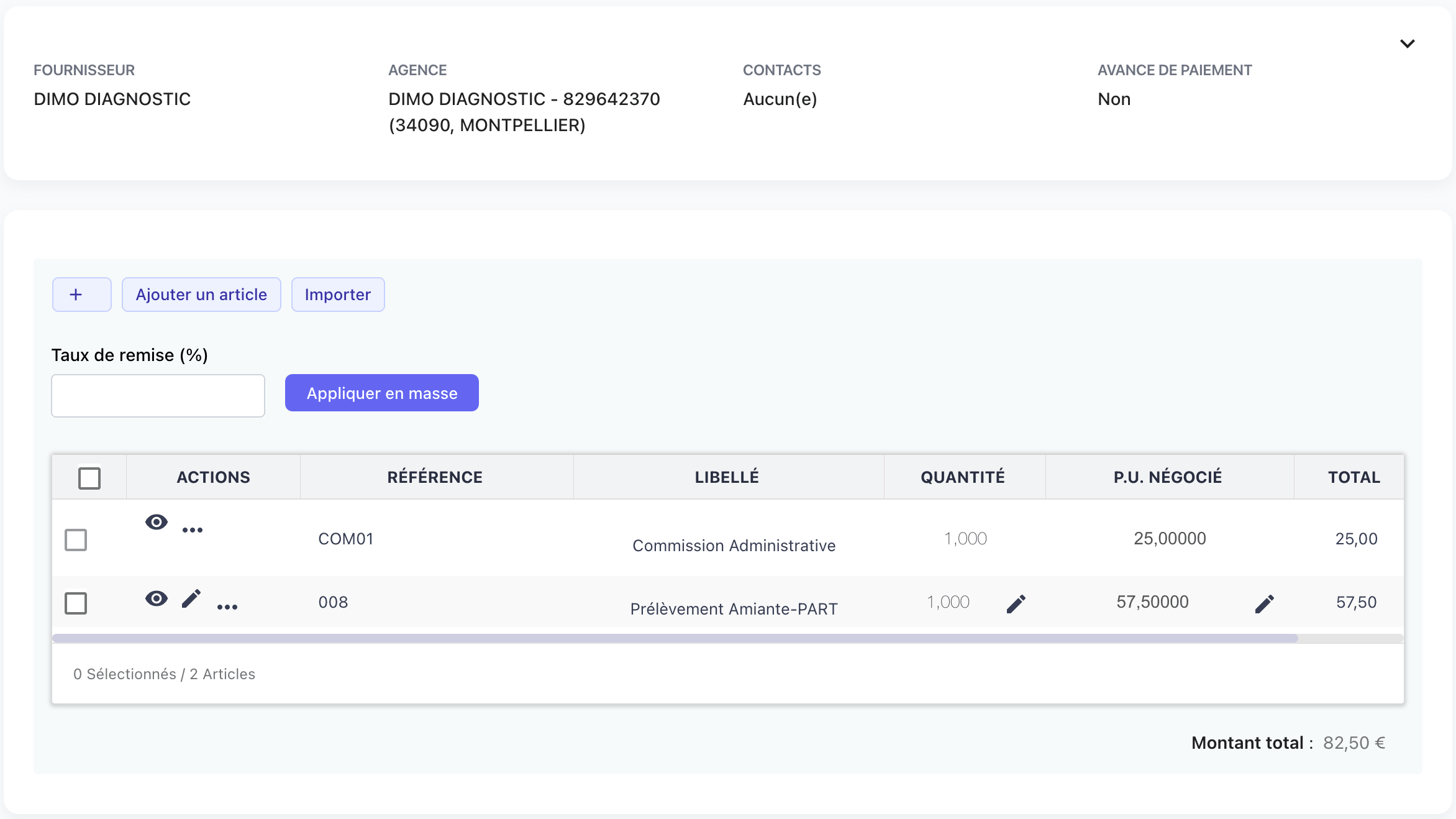
The pre-order screen brings together the supplier, branch, contacts, quote and items. It illustrates file preparation before the purchasing workflow continues.
Enlarge the screen ↗Your initial scope
Choose a recurring purchase based on a quote and a more difficult one-off request. Record commonly missing information, rework and people involved. The demonstration can then focus on your workflow rather than a list of fields.
Sourcing Force structures information and tracking within the agreed scope. Supplier communications are centralised and recorded. When BME provides outsourcing services, its teams carry out the agreed operations; your organisation retains decisions and commitment rules.
For class C purchases, the aim is to send a usable request to the right person. AI quote-reading uses and their checking rules are explored on the Automation page.
One portal, several purchasing workflows

Technical specifications, urgent requirements and multiple distributors make small industrial orders difficult to manage.
Explore the process →
An order for gloves or footwear still needs the right size, product reference and specifications for the task.
Explore the process →
Without a defined deliverable, method and deadline, a one-off testing service becomes difficult to accept on completion.
Explore the process →
Technicians need parts and services quickly while allocating each purchase to the right site or project.
Explore the process →
Separate orders for each warehouse make specifications and delivery dates difficult to reconcile.
Explore the process →
Adapters, monitors and peripherals are often bought urgently from several distributors.
Explore the process →
A marketing campaign brings together printing, point-of-sale displays and promotional items from different suppliers.
Explore the process →
A one-off assignment becomes harder to track when requirements, deliverables and approvals are scattered across separate conversations.
Explore the process →
Hotels, venues, transport and MICE services create fragmented bookings, sometimes committed outside the procurement process.
Explore the process →Prepare your project
No. A requisition states and documents the need; the order formalises the commitment under the client's process. Moving from one to the other requires your organisation's approvals.
Start with the need and available specifications. Supplier search then becomes a processing step. When BME is assigned this work, your teams define its scope.
An anonymised quote, a sample request and approval rules are enough to describe an initial scenario. Include required cost allocation data and frequent exceptions.
Your next step
Let's discuss your class C purchases and how your organisation works.
Request your free assessment.
New content
Compare PO-matched and non-PO invoice workflows, identify root causes and design proportionate controls without blocking legitimate exceptions.
Use the free purchase order template with calculations, Excel-compatible CSV and PDF printing.
Fill in your purchase order