Known items
Prepare a clear selection for recurring needs: product references, descriptions, units and categories. Requesters should understand what they are selecting and when the item is suitable.

THE SOURCING FORCE WORKFLOW
Users need to find items suited to their work. Bring access to supplier offerings together and connect selection with your purchasing rules.
Focused demo · Free assessment · Pricing on request
ACCESS TO SUPPLIER OFFERINGS
Sourcing Force + Buy Made Easy
Users do not always know where to find a product, supplier or service outside major contracts.
Sourcing Force's private B2B marketplace centralises access to catalogues and one-off requests.
Buy Made Easy can bring outsourced transactions together under a single supplier connected to the company's purchasing workflow.
Inside Sourcing Force
The starting point
A private B2B marketplace organises access to supplier offerings in an environment reserved for the company's purchasing workflow. Catalogue selection, item preparation and purchasing rules determine the user experience.
For class C purchases, this access point helps direct recurring needs to selected suppliers and items. Unusual requests also need a clear path: a missing catalogue item should not leave the requester without a contact.
Information that matters
Prepare a clear selection for recurring needs: product references, descriptions, units and categories. Requesters should understand what they are selecting and when the item is suitable.
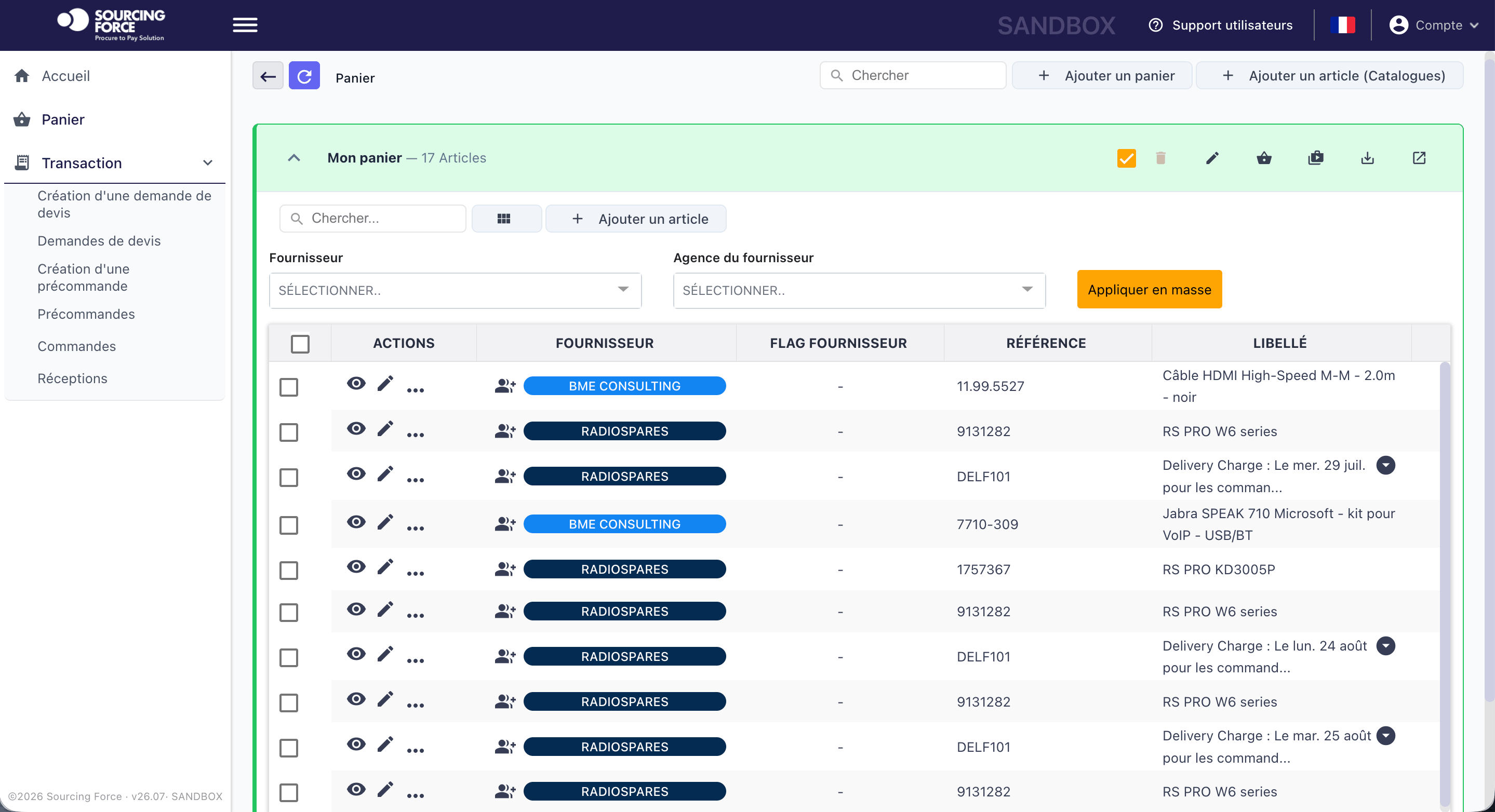
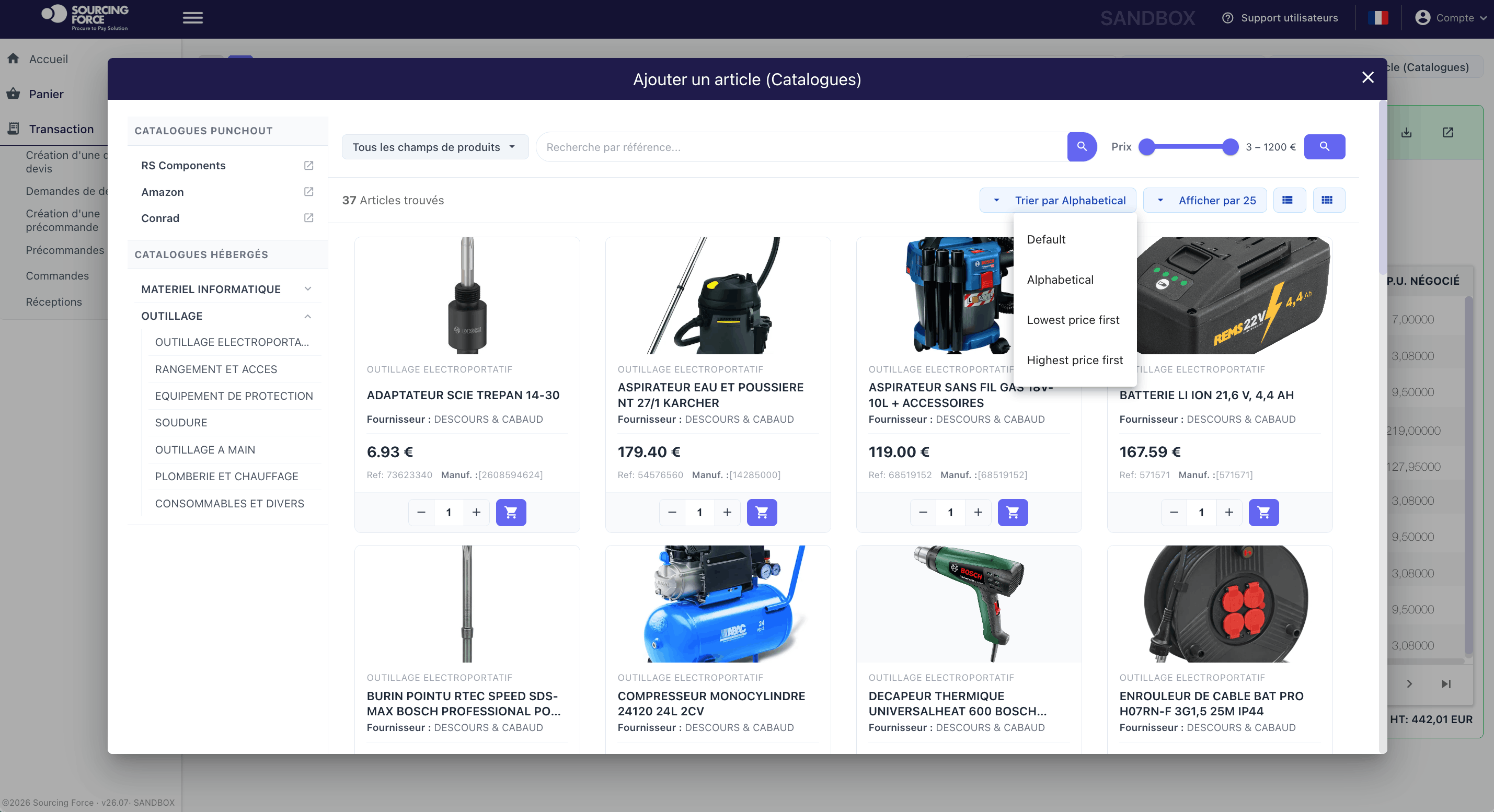
Sourcing Force provides hosted catalogue and PunchOut workflows. Requesters select items in the application or on the supplier's website, then continue through the agreed process.
A quote or a need requiring clarification follows a request workflow. Identify useful information and responsibilities so the procurement team can review the file.
One portal, several purchasing workflows

Technical specifications, urgent requirements and multiple distributors make small industrial orders difficult to manage.
Explore the process →
An order for gloves or footwear still needs the right size, product reference and specifications for the task.
Explore the process →
Without a defined deliverable, method and deadline, a one-off testing service becomes difficult to accept on completion.
Explore the process →
Technicians need parts and services quickly while allocating each purchase to the right site or project.
Explore the process →
Separate orders for each warehouse make specifications and delivery dates difficult to reconcile.
Explore the process →
Adapters, monitors and peripherals are often bought urgently from several distributors.
Explore the process →
A marketing campaign brings together printing, point-of-sale displays and promotional items from different suppliers.
Explore the process →
A one-off assignment becomes harder to track when requirements, deliverables and approvals are scattered across separate conversations.
Explore the process →
Hotels, venues, transport and MICE services create fragmented bookings, sometimes committed outside the procurement process.
Explore the process →A clear workflow
Information moves between teams. Responsibilities stay clear.
Define useful categories, suppliers and items for an initial group of users.
Organise item data and responsibility for keeping offerings up to date.
Bring the cart into the request and approval workflow agreed with the system of record.
Review unsuccessful searches, questions and needs requiring a different process.
A preparation checklist
| Situation | Access to the offering | Next workflow step |
|---|---|---|
| Item available in the application | Hosted catalogue | Selection followed by a request under the rules |
| Selection on the supplier's website | PunchOut catalogue | Cart return to the agreed workflow |
| Offer received directly | Supplier quote | Prepare a file for review |
| A need to clarify | Statement of need | Assessment followed by an appropriate search |

A practical scope
Since 2021, Buy Made Easy has helped Accor's head office access supplier catalogues within its ordering workflow. A shared starting point makes searching easier for users; exchanges with the procurement system are detailed on the ERP Integration page.
Your initial scope
Start with representative categories and users who know operational constraints. Check descriptions, units, selection conditions and delivery information. Define who handles questions when an item or supplier does not meet the need.
Your ERP/S2P retains control over rules, approvals, commitments and orders. Cart return and exchanged information must follow that framework. The PunchOut Catalogues page explains the differences between hosted catalogues and supplier websites.
Sourcing Force can be used with or without BME outsourcing. For class C purchases assigned to BME, the service defines the operations covered. This lets you choose access to offerings and operational support separately.
Prepare your project
No. A private marketplace organises access to an offering. PunchOut describes item selection on a supplier's website and cart return. It can contribute to the offering within that marketplace.
Catalogues can be a standalone offering, with or without BME outsourcing. The application and service are chosen according to the project's scope.
Document the need in a request with available references, constraints and supporting documents. The designated team then reviews the appropriate workflow: quote, supplier search or assigned operation.
Your next step
Let's discuss your class C purchases and how your organisation works.
Request your free assessment.