Allocate requests
Cost centre, project and category data are available through configuration or APIs. Determine the values used in the workflow and which system holds the reference.

THE SOURCING FORCE WORKFLOW
Spend is easier to understand when assigned to the right site, project and owner. Prepare this information before commitment and retain it in your purchasing analysis.
Focused demo · Free assessment · Pricing on request
THE BASIS FOR OVERSIGHT
Sourcing Force + Buy Made Easy
Without clear allocation, one-off orders accumulate in entries that are hard to explain.
Sourcing Force centralises requests, assigns cost centres and gives owners the information they need to decide.
Using Buy Made Easy as the single supplier simplifies the commercial workflow for outsourced spend while preserving its analytical allocation.
The starting point
Procurement budget management connects requests with resources and responsibilities. It places an operation within the budget of a cost centre, project or activity. Accurate allocation gives meaning to the amounts teams review.
Class C purchases can be spread across many users and sites. Even small amounts become hard to track when categories or projects are recorded inconsistently. Start with a shared definition of the expected data.
Information that matters
Cost centre, project and category data are available through configuration or APIs. Determine the values used in the workflow and which system holds the reference.
Spending limits and approval workflows apply the agreed framework. An authorisation limit and available budget answer different questions: who can decide, and which resources they can use.
Sourcing Force provides custom dashboards and KPIs. Choose indicators around the decisions to make, with shared definitions of periods and scopes.
A clear workflow
Information moves between teams. Responsibilities stay clear.
Specify the budget, period and owner; distinguish each entity's scope.
Assign the request to the relevant cost centre, project and category.
Apply the agreed workflow; retain commitments and orders in the system of record.
Read data according to its status and period, then review discrepancies with finance.
A preparation checklist
| View | What it represents | What to watch |
|---|---|---|
| Requisition | A stated need being prepared or reviewed | Do not count it as actual expenditure |
| Commitment | A decision recorded in the system of record | Define the status precisely |
| Tracked spend | An operation assigned to a period and scope | Use the same basis of comparison |
| Authorisation limit | A boundary set by decision rules | Do not present it as a remaining budget |
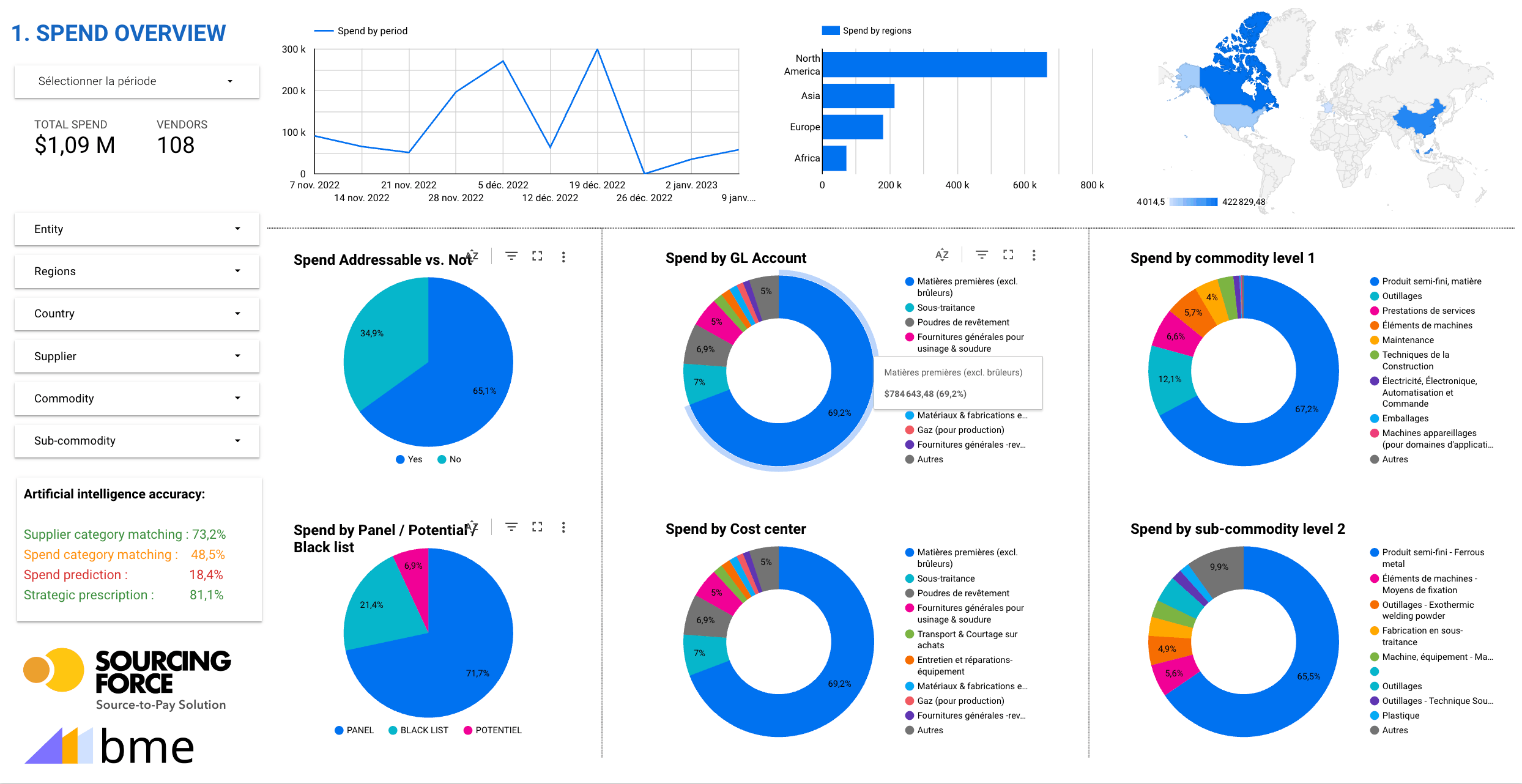
Inside the application
Custom dashboards and KPIs provide a structured view of purchasing. Procurement and finance teams work together to choose data, groupings and the observation period.
Enlarge the screen ↗One portal, several purchasing workflows

Technical specifications, urgent requirements and multiple distributors make small industrial orders difficult to manage.
Explore the process →
An order for gloves or footwear still needs the right size, product reference and specifications for the task.
Explore the process →
Without a defined deliverable, method and deadline, a one-off testing service becomes difficult to accept on completion.
Explore the process →
Technicians need parts and services quickly while allocating each purchase to the right site or project.
Explore the process →
Separate orders for each warehouse make specifications and delivery dates difficult to reconcile.
Explore the process →
Adapters, monitors and peripherals are often bought urgently from several distributors.
Explore the process →
A marketing campaign brings together printing, point-of-sale displays and promotional items from different suppliers.
Explore the process →
A one-off assignment becomes harder to track when requirements, deliverables and approvals are scattered across separate conversations.
Explore the process →
Hotels, venues, transport and MICE services create fragmented bookings, sometimes committed outside the procurement process.
Explore the process →Your initial scope
Start with a short list: cost centre master data, active projects, useful categories and owners. Review missing values, business duplicates and differing definitions between entities before extending tracking to all users.
Your ERP/S2P retains control over rules, approvals, commitments and orders. The project describes data and exchanges required for the specialist workflow. It also specifies when information becomes usable for reporting: requests, commitments and invoices must not be added together without a defined method.
A demo focused on class C purchasing can follow a file from allocation through to analysis. To compare indicators and identify priorities, continue to the Spend Analysis page.
Prepare your project
No. A spending limit defines an authorisation boundary. A budget represents a set of resources, a period and tracking rules. Define the two concepts separately.
Cost centres, projects and categories can be organised through configuration or APIs. The client defines the selected fields and reference system.
Start with a decision question and a consistent scope: site activity, allocation by project or category spend. Document the data and period to make comparisons useful.
Your next step
Let's discuss your class C purchases and how your organisation works.
Request your free assessment.